DEPRECATION NOTICE: This entire page documents the legacy Inputs system.
For new projects: Use Data Binding instead.
For existing projects: Plan to migrate from Inputs to Data Binding as soon
as possible. This content is provided for legacy support only. Inputs can also be set on components at runtime, see Nested
Inputs below. StateMachine instance.
Access the state machine directly from the RiveWidgetController:
final riveController = RiveWidgetController(riveFile);
final stateMachine = riveController.stateMachine;

final myTrigger = stateMachine.trigger('myTrigger');
final myBool = stateMachine.boolean('myBool');
final myNumber = stateMachine.number('myNumber');
myTrigger.fire(); // Trigger input
myBool.value = true; // Set boolean input
myNumber.value = 42.0; // Set number input
myTrigger.dispose();
myBool.dispose();
myNumber.dispose();
⚠️ DEPRECATED FEATURE: Nested Inputs are part of the legacy Inputs system.
Use Data Binding instead for controlling
component properties at runtime. Example
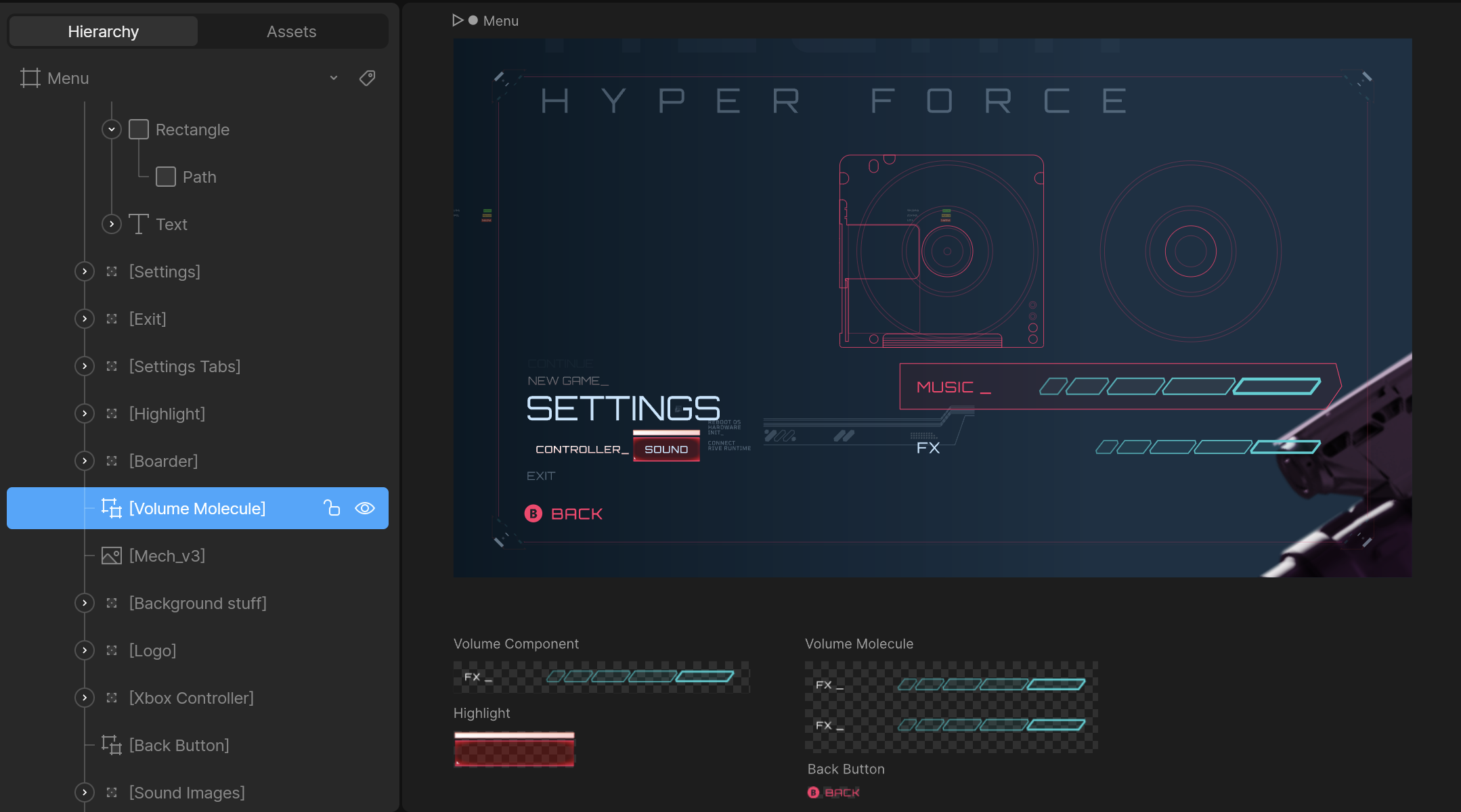
- Use the artboard’s unique hierarchy name, not the artboard’s name.
- Do not include the name of the main artboard. In the example above, the path is
Volume Molecule, not Menu/Volume Molecule.
- Ensure the components are marked as exported in the editor to access them at runtime:
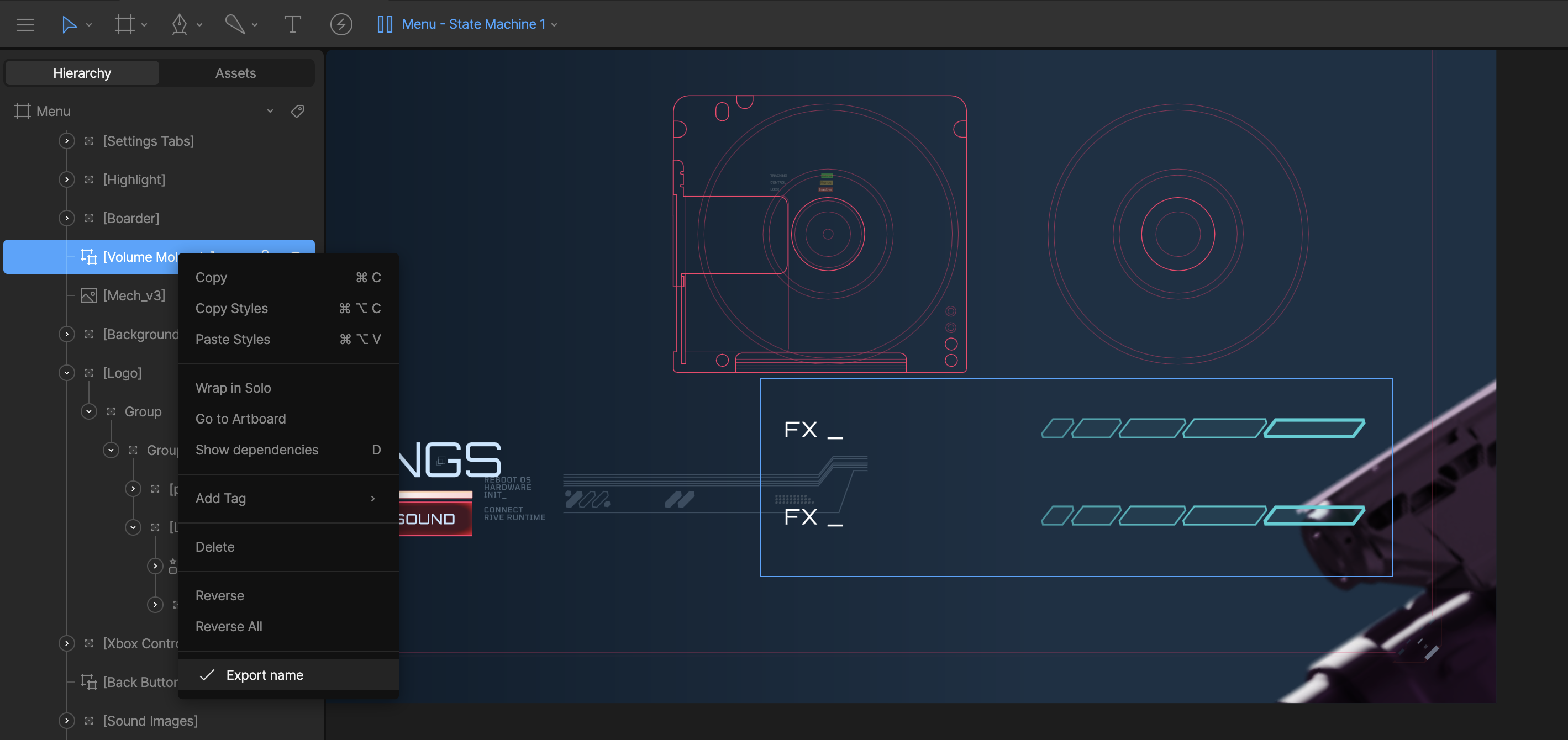
Volume ComponentFX Component
Once you go more than one component deep the path will be a / separated
string of the unique hierarchy names.
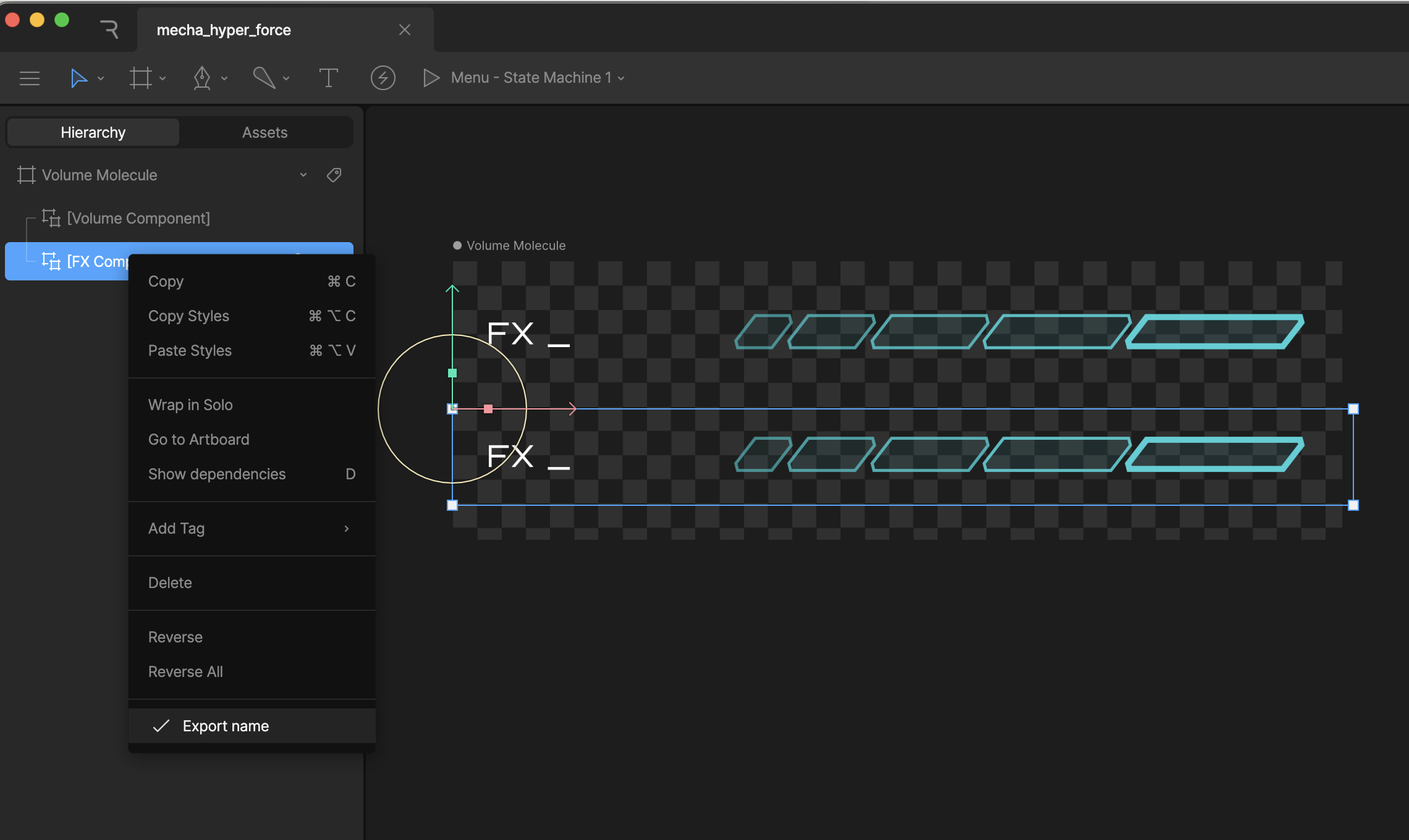 If you load in the Menu artboard at runtime, and want to get/set an input on the
 FX Component artboard, the path will be Volume Molecule/FX Component
Do not use / in the name for your components, as that will break the search
functionality at runtime.
// Get the nested input named 'volume' from the state machine
final controller = RiveWidgetController(riveFile);
final stateMachine = controller.stateMachine;
final volumeInput = stateMachine.number('volume', path: 'Volume Molecule/Volume Component')!;
volumeInput.value = 80.0;
number(name, path: 'path/to/input')bool(name, path: 'path/to/input')trigger(name, path: 'path/to/input')

