DEPRECATION NOTICE: This entire page documents the legacy Inputs system.
For new projects: Use Data Binding instead.
For existing projects: Plan to migrate from Inputs to Data Binding as soon
as possible. This content is provided for legacy support only. Inputs can also be set on components at runtime, see Nested
Inputs below. You can access the methods to control data binding input on the view reference:export default function StateMachineInputsExample() {
const { riveViewRef, setHybridRef } = useRive();
const { riveFile } = useRiveFile(require('../../assets/rive/rating.riv'));
useEffect(() => {
if (riveViewRef) {
try {
// Original value
console.log(
'Number value: ',
riveViewRef.getNumberInputValue('rating')
);
// Set the value of the input
riveViewRef.setNumberInputValue('rating', 3.0);
console.log(
'Number value: ',
riveViewRef.getNumberInputValue('rating')
);
// Add a delay to allow the view controller to be ready
setTimeout(() => {
console.log(
'Number value after delay: ',
riveViewRef.getNumberInputValue('rating')
);
}, 16);
} catch (err) {
console.error(err);
}
}
}, [riveViewRef]);
return (
<View style={styles.riveContainer}>
{riveFile ? (
<RiveView
style={styles.rive}
autoPlay={true}
file={riveFile}
hybridRef={setHybridRef}
/>
) : null}
</View>
);
}
With the React Native runtime, most methods/triggers are available on the ref of the Rive component, including setting input values/triggering for state machines. In this case, there is no need to acquire an instance of an input. Simply set the input state from the Rive ref or fire an input state.export default function StateMachine() {
const riveRef = React.useRef<RiveRef>(null);
// Maintain the values of your state machine in React state
const [selectedLevel, setSelectedLevel] = useState('2');
const setLevel = (n: number) => {
setSelectedLevel(n.toString());
// No need to acquire an instance of a state machine input, just set the
// input state on the `riveRef` itself
riveRef.current?.setInputState("Designer's Test", 'Level', n);
};
return (
<SafeAreaView style={styles.safeAreaViewContainer}>
<ScrollView contentContainerStyle={styles.container}>
<Rive
resourceName={'skills'}
ref={riveRef}
autoplay={true}
stateMachineName="Designer's Test"
/>
<RadioButton.Group
onValueChange={(newValue) => setLevel(parseInt(newValue, 10))}
value={selectedLevel}
>
<View style={styles.radioButtonsWrapper}>
<View style={styles.radioButtonWrapper}>
<Text>{'Beginner'}</Text>
<RadioButton value={'0'} />
</View>
<View style={styles.radioButtonWrapper}>
<Text>{'Intermediate'}</Text>
<RadioButton value={'1'} />
</View>
<View style={styles.radioButtonWrapper}>
<Text>{'Expert'}</Text>
<RadioButton value={'2'} />
</View>
</View>
</RadioButton.Group>
</ScrollView>
</SafeAreaView>
);
}
See the React Native API’s to learn more about the parameters for .setInputState() and .fireState() ⚠️ DEPRECATED FEATURE: Nested Inputs are part of the legacy Inputs system.
Use Data Binding instead for controlling
component properties at runtime. Example
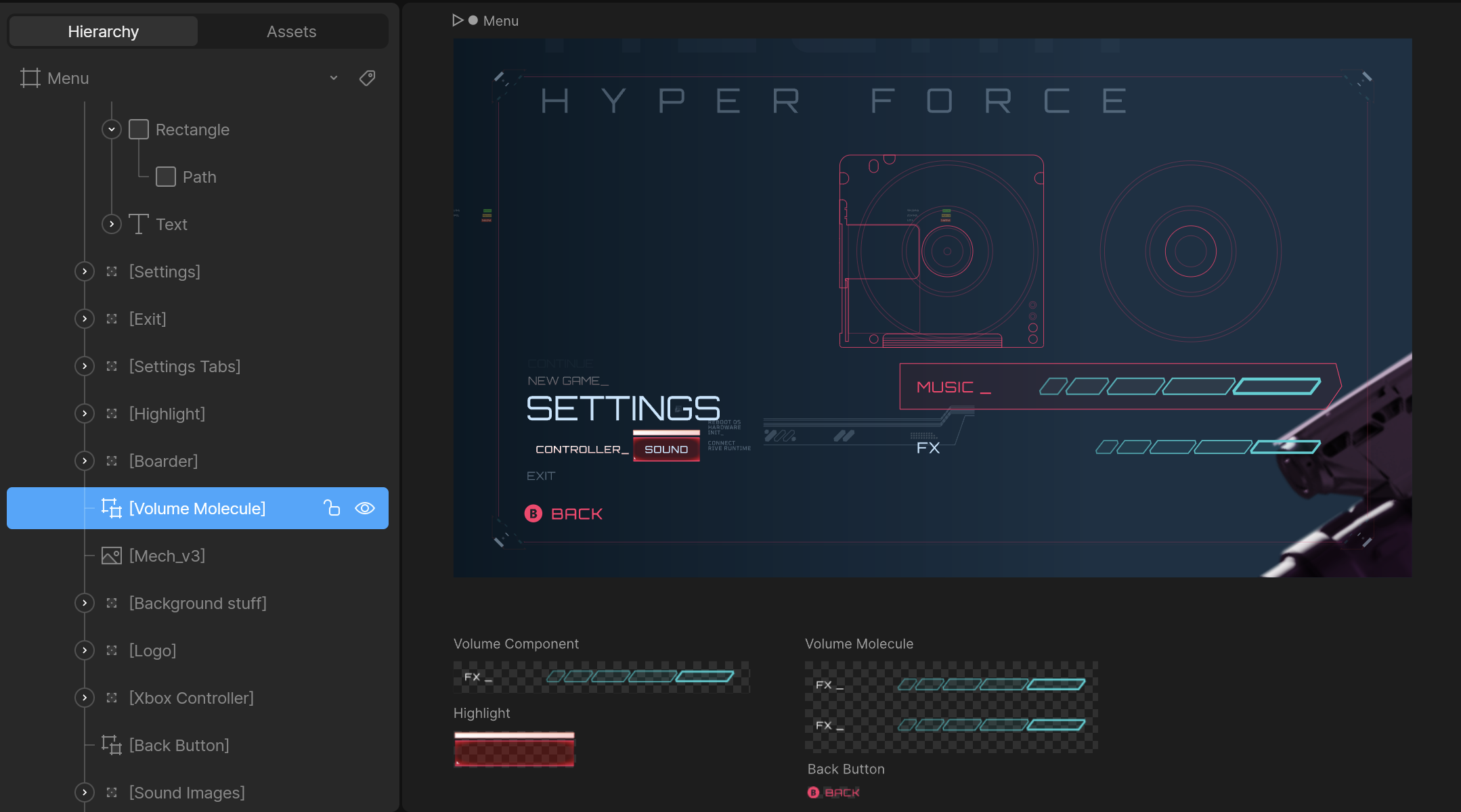
- Use the artboard’s unique hierarchy name, not the artboard’s name.
- Do not include the name of the main artboard. In the example above, the path is
Volume Molecule, not Menu/Volume Molecule.
- Ensure the components are marked as exported in the editor to access them at runtime:
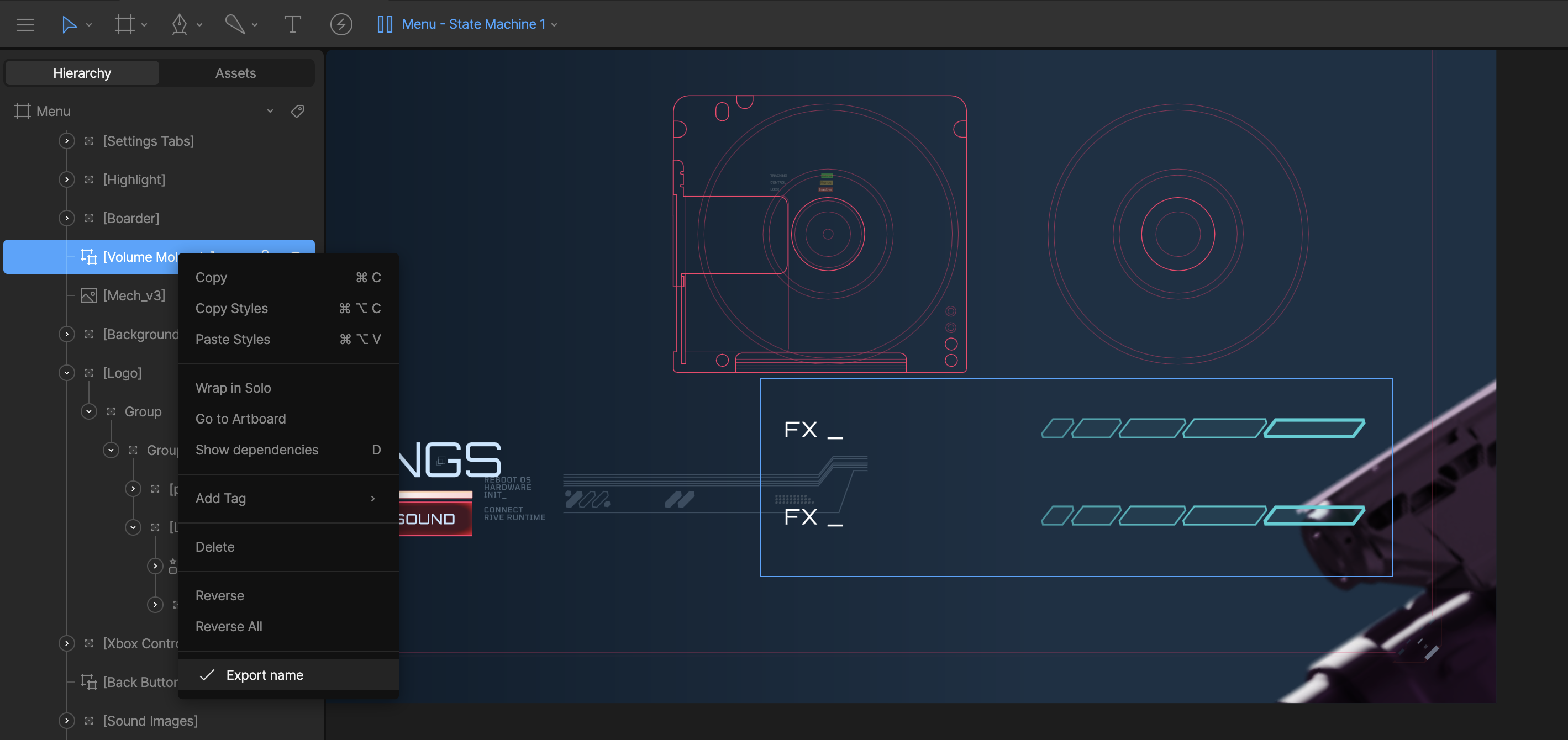
Volume ComponentFX Component
Once you go more than one component deep the path will be a / separated
string of the unique hierarchy names.
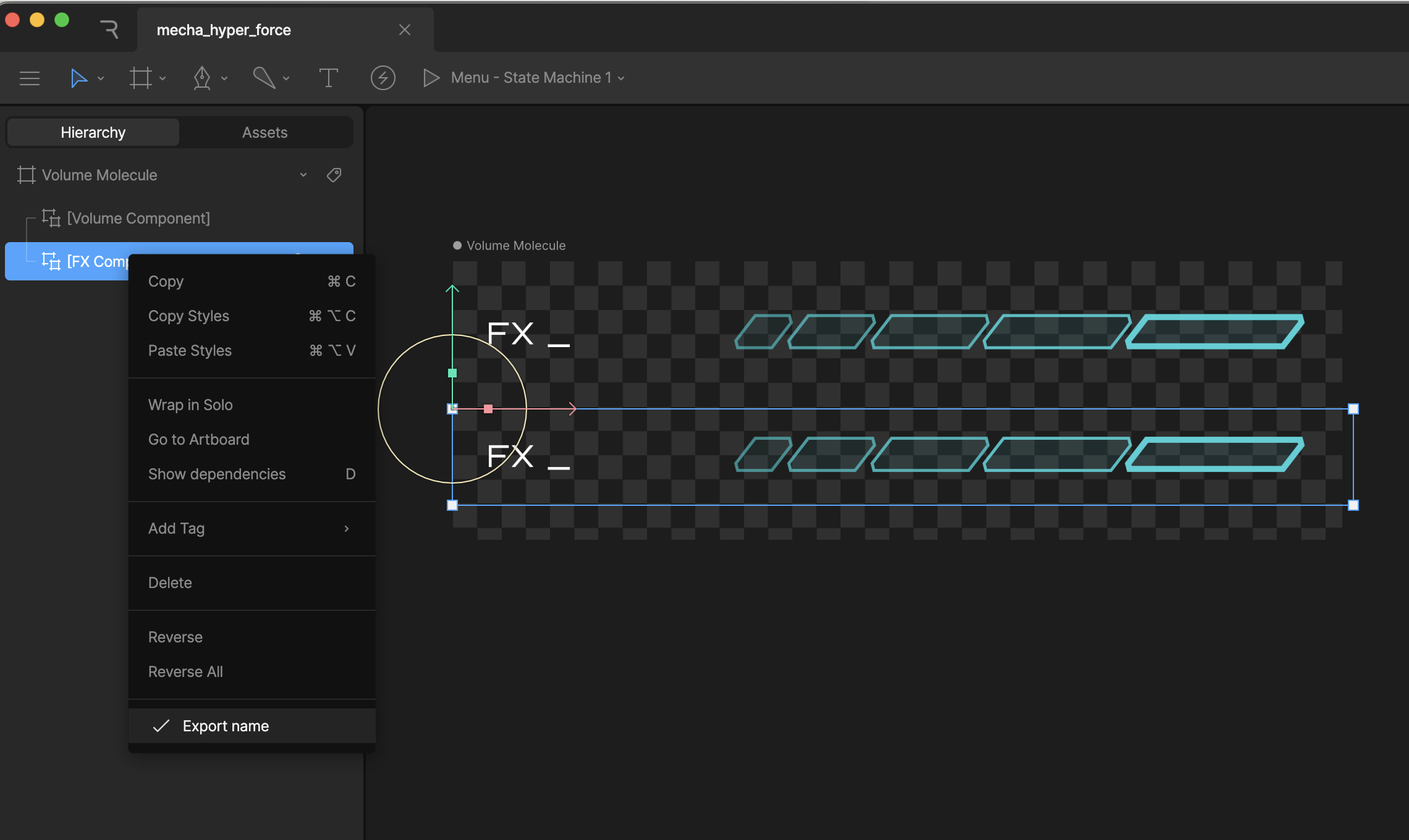 If you load in the Menu artboard at runtime, and want to get/set an input on the
 FX Component artboard, the path will be Volume Molecule/FX Component
Do not use / in the name for your components, as that will break the search
functionality at runtime.
Note: The new runtime recommends using Data Binding instead of the legacy Inputs system for controlling nested component properties. For examples of using data binding with nested properties in the new runtime, see the example app. To set the Volume input for the above example:riveRef.current?.setInputStateAtPath("volume", 80.0, "Volume Molecule/Volume Component");
setInputStateAtPath(inputName: string, value: boolean | number, path: string)fireStateAtPath(inputName: string, path: string)

